Achttausend Apps rein. Jeder Bildschirm vernetzt.
Eine «Webhooks by Zapier»-Aktion sendet die Daten eines beliebigen Zaps an Ihren Hangar.Media-Inbound-Webhook – zugeordnet zu Anzeigespalten und dargestellt als Live-Tabelle, Ankündigungskarten oder KPI-Metriken. Und es funktioniert in beide Richtungen: Bildschirmereignisse können Ihre Zaps auslösen.
Jeder Zap wird zu Bildschirminhalt – und Bildschirme lösen Zaps aus
Was auch immer der Zap enthält – CRM-Deals, Formulareinträge, Bestellungen, Support-Tickets – die Webhook-Aktion sendet es hierher; Feldzuordnung, Standardwerte und spaltenspezifische Transformationen strukturieren die Daten beim Eingang. Wählen Sie das Anzeigeformat pro Integration: eine Live-Datentabelle, Ankündigungskarten (mit optionaler fortlaufender Akkumulation aktueller Pushes) oder KPI-Metriken für einzelne Zahlenwerte. Ausgehende Ereignisse schliessen den Kreislauf: Bildschirm-Offline/Online-Status, Synchronisierungsfehler und Notfallmeldungen können einen signierten Envelope per POST an einen Zapier Catch Hook senden.
Was Sie mit Jeder Bildschirm vernetzt. tun können
Drei Funktionen, die diese Integration für Ihr Digital Signage-Netzwerk unverzichtbar machen.
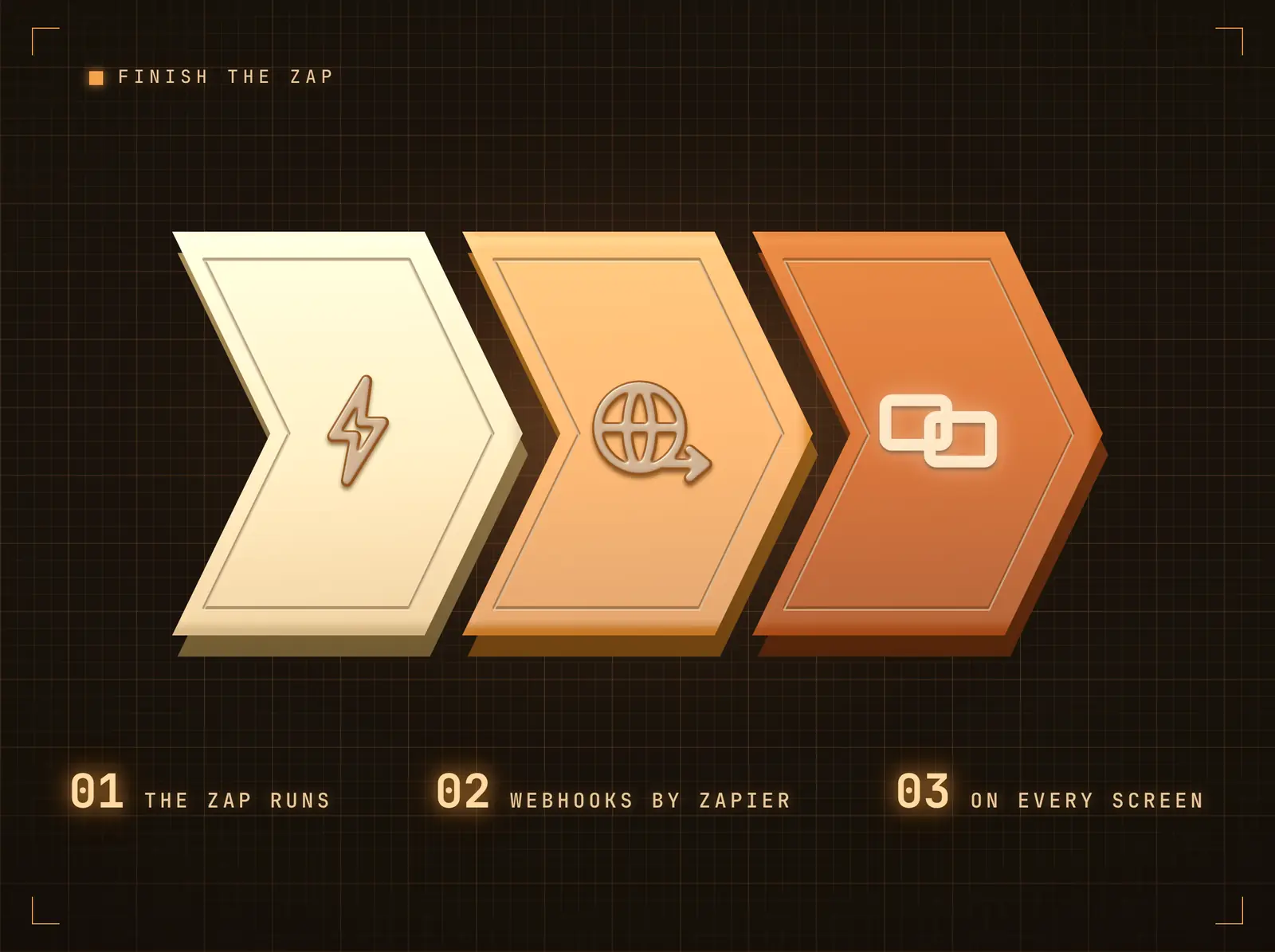
Die Webhook-Aktion schliesst den Zap ab
Fügen Sie «Webhooks by Zapier» als letzte Aktion des Zaps hinzu: Methode POST, Ihre eingehende Webhook-URL, ein JSON-Payload aus einem beliebigen früheren Schritt. Die Daten landen innerhalb von Sekunden auf jedem gebundenen Widget — ein einziger Push kann einen Bildschirm oder den gesamten Bestand aktualisieren.
Der letzte Schritt des Zaps ist der erste Blick im Raum.
JSON-Payloads in beliebiger Form — einzelne Datensätze oder Listen
Eine Schaltfläche «Test-Push senden» auf der Integrationsseite prüft die Pipeline mit einem Klick
Deduplizierung von doppelten Pushes fängt Zapier-Wiederholungsversuche ab
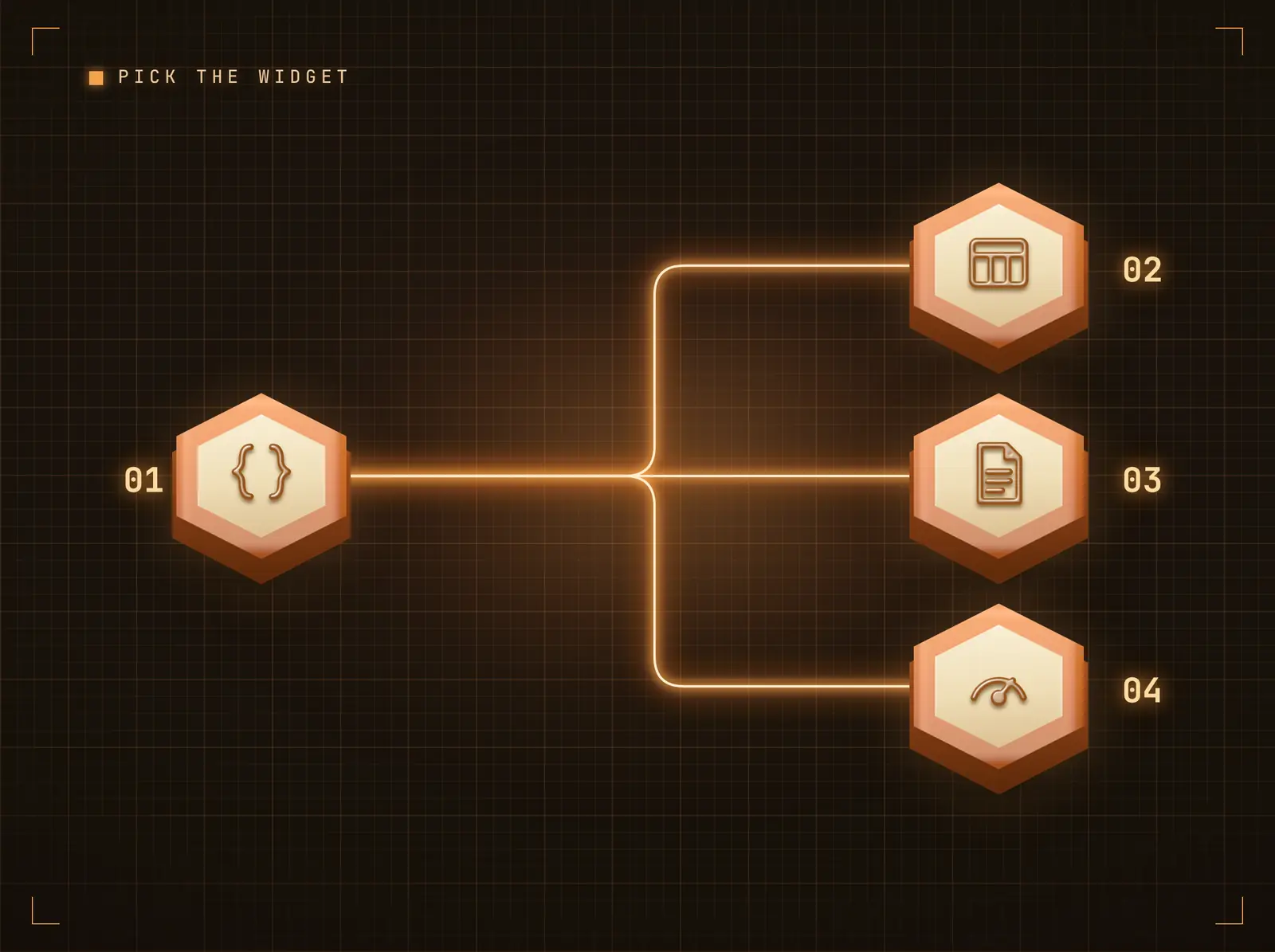
Tabellen, Karten oder grosse Zahlen — Ihre Wahl
Tabellarische Pushes werden im Live Data Table-Widget dargestellt. Ankündigungen erscheinen als Content Cards — aktivieren Sie Accumulate für ein fortlaufendes Board der neuesten Pushes (Deal-Feiern, Formular-Streams). Einzelzahl-Pushes ordnen Label / Value / Unit / Change den KPI Metrics zu.
Derselbe Zap kann heute eine Tabelle und morgen eine KPI-Wand befüllen.
Feld-Mapping mit Standardwerten und Transformationen (Grossschreibung, Kürzen, Präfix …)
Der Akkumulationsmodus hält die letzten N Pushes auf dem Bildschirm
KPI-Ziel rendert Währungs-, Prozent- und Dauerformate
Bildschirm-Events lösen Ihre Zaps aus
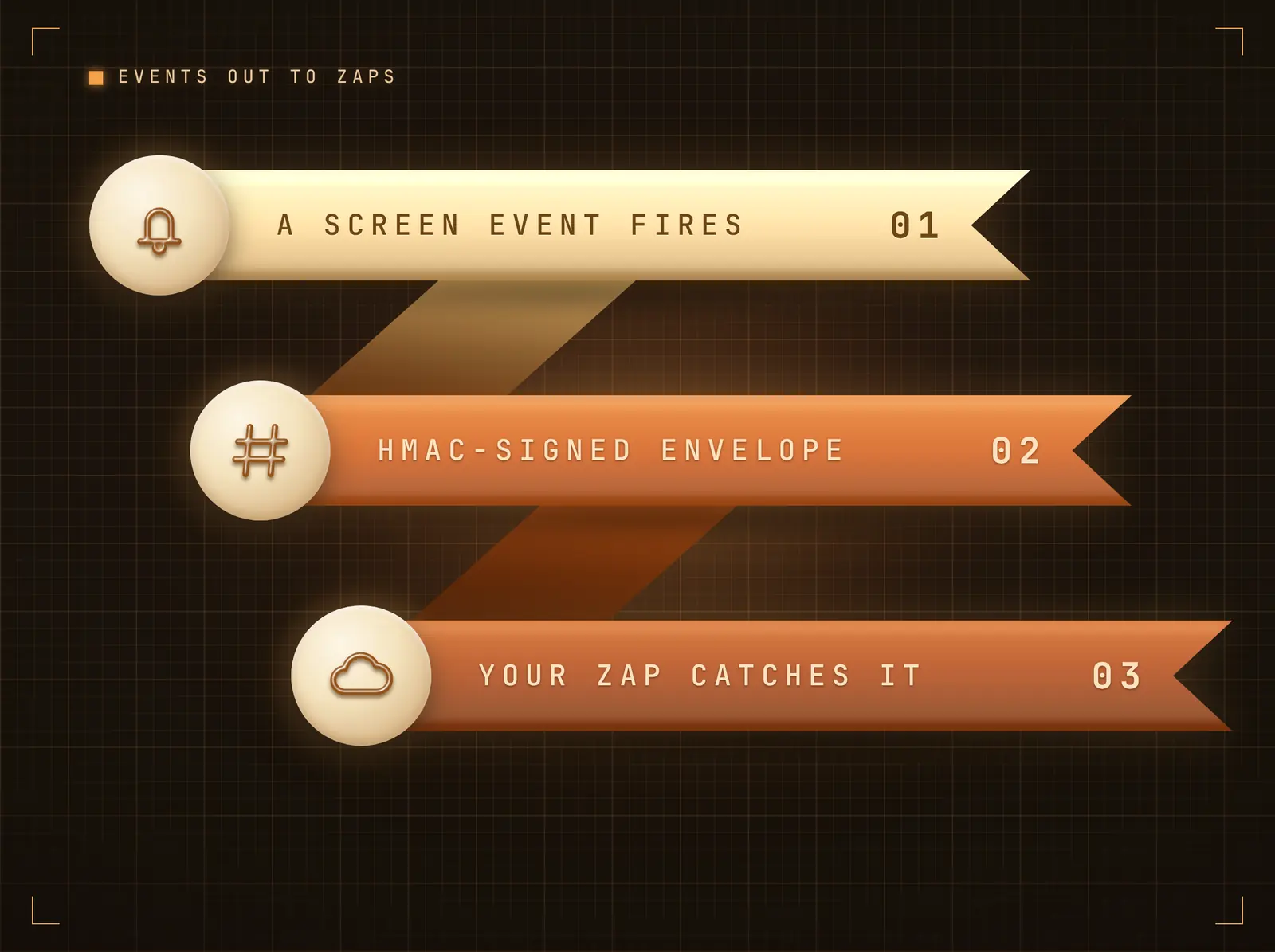
Aktivieren Sie Outbound Events und wählen Sie, welche Signage-Events relevant sind: Bildschirm offline gegangen, Bildschirm wieder online, ein Integrations-Sync fehlgeschlagen, ein Notfallalarm aktiviert. Jeder Event sendet einen JSON-Envelope per POST an Ihren Zapier Catch Hook, HMAC-signiert mit dem Integrations-Secret, damit der Zap verifizieren kann, dass er von Hangar.Media stammt.
Ein Bildschirm, der dunkel wird, kann ein Ticket öffnen, bevor es jemand bemerkt.
Vier Event-Typen, einzeln auswählbar
Signierter Envelope (X-Hangar-Signature, HMAC-SHA256)
Zustellung aus einer dedizierten Queue innerhalb von Sekunden
Vier Schritte zu verbundene Bildschirme.
Von der Einrichtung bis zu Live-Inhalten in Minuten, nicht Tagen.
Integration verbinden
Fügen Sie die Zapier-Integration in Hangar.Media hinzu. Ihre eindeutige eingehende Webhook-URL und Ihr Signing-Secret werden sofort generiert.
Webhook-Aktion in Zapier hinzufügen
Fügen Sie in Ihrem Zap «Webhooks by Zapier» → POST hinzu: Ihre eingehende Webhook-URL, JSON-Payload aus früheren Schritten, signiert über einen Code-Schritt oder mit dem Secret im X-Webhook-Token-Header.
Felder dem Display zuordnen
Wählen Sie Data Table, Content Cards oder KPI Metrics und ordnen Sie Payload-Felder den Anzeigespalten zu. Senden Sie einen Test-Push, um das Ergebnis live zu sehen.
Optional Events zurückleiten
Aktivieren Sie Outbound Events mit Ihrer Zapier Catch Hook URL und wählen Sie die Signage-Events, die Zaps auslösen sollen.
Entwickelt für jeden Branche.
Erfahren Sie, wie verschiedene Branchen diese Integration nutzen, um Ergebnisse zu erzielen.
Deal-Feiern
CRM-Zaps senden Feier-Karten auf Büro-Bildschirme, sobald Deals abgeschlossen werden — mit Accumulate bleiben die Tageserfolge auf einem rollierenden Board sichtbar.
EinzelhandelSales-KPI-Wand
Ein geplanter Zap aggregiert die Tagesverkäufe und überträgt eine einzelne Zahl an das KPI-Widget auf dem Backoffice-Bildschirm.
BildungFormulargestützte Aushänge
Formular-Zaps leiten Einreichungen innerhalb von Sekunden als Ankündigungskarten auf Mitarbeiter-Bildschirme weiter.
GesundheitswesenBildschirmausfall-Ticketing
Ausgehende Bildschirm-offline-Events lösen einen Zap aus, der automatisch ein Helpdesk-Ticket erstellt.
Häufige Fragen. Direkte Antworten.
Wie wird der Webhook abgesichert
Das empfohlene Setup signiert jeden Push: Ein Zapier-Code-Schritt berechnet einen HMAC-SHA256 des Body mit Ihrem Integrations-Secret, den Hangar.Media in konstanter Zeit verifiziert — mit optionalem Replay-Schutz im Stripe-Stil. Ein einfacherer Secret-Header-Modus (X-Webhook-Token) benötigt keinen Code. In beiden Fällen werden doppelte Pushes dedupliziert, und ein integrationsweites Rate-Limit bremst unkontrollierte Zaps.
Welches Payload-Format erwartet Hangar.Media
Beliebiges JSON. Ein einzelnes Objekt wird zu einer Zeile, Karte oder einem Metrik-Set; ein Array von Objekten ergibt eine Zeile oder Karte pro Datensatz. Mit konfiguriertem Feld-Mapping werden nur die zugeordneten Felder angezeigt; ohne Mapping erscheinen die Rohfelder als Schlüssel-Wert-Tabelle.
Können Bildschirme wirklich Zaps auslösen
Ja — aktivieren Sie Outbound Events, fügen Sie eine Zapier Catch Hook URL ein und wählen Sie die Events: Bildschirm offline, Bildschirm online, Integrations-Sync fehlgeschlagen, Notfallalarm aktiviert. Jede Zustellung ist HMAC-signiert, damit Ihr Zap die Quelle verifizieren kann.
Kann ein einziger Push mehrere Bildschirme aktualisieren
Ja. Der Push landet im Datenfeed der Integration; jedes Design-Widget, das an diesen Feed gebunden ist, wird aktualisiert — unabhängig davon, wo diese Designs eingeplant sind.
Ein Preis. Die gesamte Plattform.
So stellen wir uns Digital Signage vor. Inhaltseditor, Bildschirmverwaltung und 200+ App-Integrationen – alles von Anfang an inklusive.
14 Tage kostenlos, bis zu 3 Bildschirme – keine Kreditkarte erforderlich.