Warteschlangen visuell auf dem Bildschirm verwalten. visuell auf dem Bildschirm.
Zeigen Sie Echtzeit-Warteschlangenstatus, aktuelle Aufrufnummern, geschätzte Wartezeiten und Schalterzuweisungen auf Ihrem Digital Signage an. Reduzieren Sie das subjektive Wartegefühl und halten Sie Ihre Kunden stets informiert.
Wartezeiten in ein gesteuertes Erlebnis verwandeln
Die Warteschlangen-Management-Integration verbindet Ihr Signage mit Ticketing-Systemen und Schalter-Workflows. Die Bildschirme zeigen aktuelle Aufrufnummern, Warteschlangenposition, geschätzte Wartezeiten und Schalterzuweisungen an. Zwischen den Aufrufen werden auf den Bildschirmen Werbeinhalte oder informative Botschaften eingeblendet, die wartende Kunden bei der Stange halten und das subjektive Wartegefühl reduzieren.
Was Sie mit visuell auf dem Bildschirm. tun können
Drei Funktionen, die diese Integration für Ihr Digital Signage-Netzwerk unverzichtbar machen.
Übersichtliche Weiterleitungsanzeigen
Wenn ein Schalteragent den nächsten Kunden aufruft, zeigt der Bildschirm die Ticketnummer und den zugewiesenen Schalter mit visueller Hervorhebung und optionalem Signalton an. Die Anzeige ist mit grossen Schriften und hohem Kontrast für die Sichtbarkeit aus dem gesamten Wartebereich ausgelegt.
Der «Jetzt bedient»-Bildschirm ist von jedem Sitzplatz in unserem Wartebereich gut sichtbar, und der Signalton erregt sofort Aufmerksamkeit.
Grossformatige Anzeige von Ticketnummer und Schalter
Optionen für akustischen Signalton und Text-zu-Sprache-Ansagen
Einstellbare Anzeigedauer und Übergangsanimationen
Erwartungen mit geschätzten Zeiten steuern
Das System berechnet geschätzte Wartezeiten anhand der aktuellen Warteschlangenlänge und der durchschnittlichen Servicedauer. Kunden sehen ihre Position in der Warteschlange und eine ungefähre Wartezeit, was Unruhe und Abbruchraten reduziert. Die Schätzungen werden in Echtzeit aktualisiert, während die Warteschlange voranschreitet.
Die Anzeige geschätzter Wartezeiten hat unsere Kundenbeschwerden über Wartezeiten um fast die Hälfte reduziert.
Dynamische Wartezeit-Berechnung basierend auf historischer Servicegeschwindigkeit
Anzeige der Warteschlangenposition pro Ticket
Automatische Neuberechnung bei Kundenabfertigung
Werbung zwischen Warteschlangenaufrufen
Warteschlangen-Bildschirme müssen nicht ständig Nummern anzeigen. Zwischen Weiterleitungsereignissen kann der Bildschirm Werbeinhalte, Serviceinformationen oder Unterhaltung anzeigen, um Kunden zu beschäftigen. Wenn die nächste Nummer aufgerufen wird, pausiert der Content, und die Warteschlangenanzeige erhält Priorität.
Wir zeigen Produktwerbung zwischen den Warteschlangenaufrufen, und die Kunden schauen tatsächlich hin, anstatt auf ihr Handy zu starren.
Verschachtelte Content-Playlists zwischen Warteschlangenereignissen
Prioritätsüberschreibung für Weiterleitungsansagen
Einstellbares Verhältnis von Content- zu Warteschlangenzeit
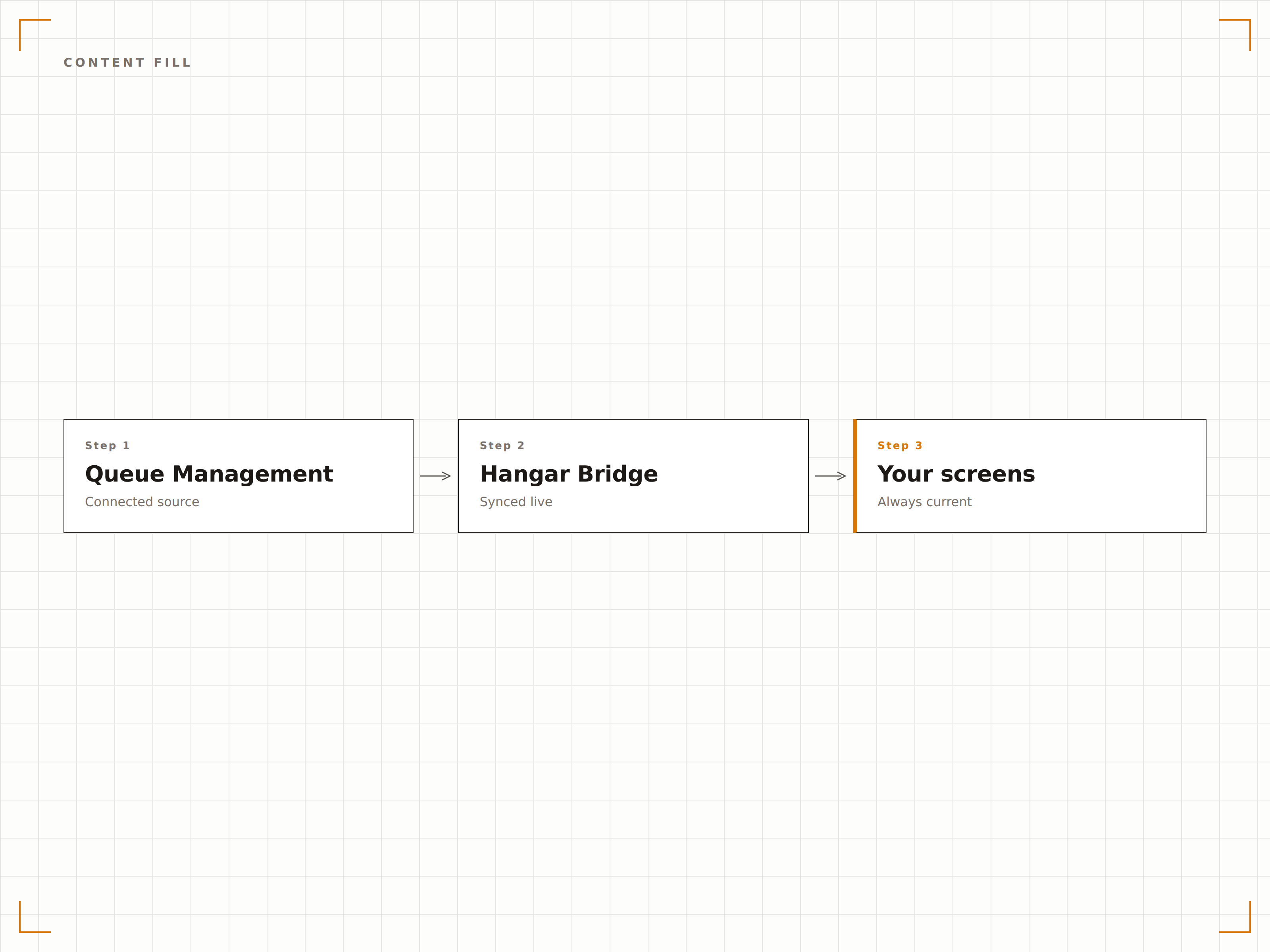
Vier Schritte zu verbundene Bildschirme.
Von der Einrichtung bis zu Live-Inhalten in Minuten, nicht Tagen.
Verbinden Sie Ihr Queue-System
Integrieren Sie Ihre vorhandene Warteschlangen-Hardware oder -Software über API, Webhook oder direkte Datenbankverbindung. Hangar.Media bietet zudem eine integrierte Ticketdrucker-Option.
Serviceschalter einrichten
Definieren Sie Namen, Nummern und Kategorien Ihrer Serviceschalter. Ordnen Sie jeden Schalter der Warteschlangenanzeige zu, damit Kunden wissen, wohin sie gehen sollen, wenn sie aufgerufen werden.
Die Warteschlangenanzeige gestalten
Wählen Sie aus vorgefertigten Vorlagen für die Warteschlangenanzeige oder passen Sie das Layout mit Ihrem Corporate Design an. Fügen Sie verschachtelte Content-Playlists für die Zeit zwischen den Warteschlangenaufrufen hinzu.
Veröffentlichen und Personal schulen
Veröffentlichen Sie die Warteschlangenanzeige auf den Bildschirmen im Wartebereich und schulen Sie das Schalterpersonal im Weiterleitungs-Workflow über das Web-Dashboard oder eine physische Ruftaste.
Entwickelt für jeden Branche.
Erfahren Sie, wie verschiedene Branchen diese Integration nutzen, um Ergebnisse zu erzielen.
Warteschlangenanzeigen in Bankfilialen
Bankfilialen zeigen «Jetzt bedient»-Nummern und Schalterzuweisungen auf Lobby-Bildschirmen an und präsentieren während der Wartezeit Werbung für Finanzprodukte, um Cross-Selling-Gespräche anzuregen.
GesundheitswesenWarteraummanagement in Kliniken
Medizinische Kliniken zeigen Patientenwarteschlangenpositionen und geschätzte Wartezeiten auf Bildschirmen im Warteraum an, was Anfragen am Empfang reduziert und das Patientenerlebnis bei der Ankunft verbessert.
Öffentlicher SektorServicewarteschlangen in Behörden
Zulassungsstellen, Genehmigungszentren und andere Behördenstandorte zeigen Warteschlangenstatus und Schalterzuweisung an, um hohe Besuchervolumen effizient zu steuern.
EinzelhandelServiceschalter- und Apothekenwarteschlangen
Serviceschalter im Einzelhandel und Apotheken nutzen Warteschlangenanzeigen, um Kunden aufzurufen, und zeigen während der Wartezeit relevante Werbung und Gesundheitsinformationen an.
Häufige Fragen. Direkte Antworten.
Kann ich meine vorhandene Warteschlangen-Hardware verwenden
Ja. Hangar.Media lässt sich über API- und Webhook-Verbindungen mit gängigen Queue-Management-Systemen integrieren. Wenn Ihr System beim Aufruf einer Nummer einen HTTP-Call senden kann, kann es die Queue-Anzeige von Hangar.Media steuern.
Ist ein Ticketdrucker im System enthalten
Hangar.Media kann einen angeschlossenen Ticketdrucker für die einfache Ausgabe von Warteschlangennummern ansteuern. Für den vollen Funktionsumfang des Queue Managements empfehlen wir die Integration eines dedizierten Queue-Systems und den Einsatz von Hangar.Media für die Anzeigekomponente.
Kann ich verschiedene Warteschlangen auf verschiedenen Bildschirmen anzeigen
Ja. Jeder Bildschirm kann eine andere Servicekategorie-Warteschlange anzeigen. Sie können auch eine kombinierte Ansicht aller Warteschlangen auf einem einzigen Bildschirm darstellen, wobei jede Servicekategorie einen eigenen Bereich erhält.
Was passiert, wenn das Queue-System die Verbindung verliert
Wenn die Verbindung zum Queue-System unterbrochen wird, zeigt der Bildschirm den zuletzt bekannten Warteschlangenstatus mit einer Statusanzeige an. Das System stellt die Verbindung automatisch wieder her, sobald der Queue-Dienst verfügbar ist.
Ein Preis. Die gesamte Plattform.
So stellen wir uns Digital Signage vor. Inhaltseditor, Bildschirmverwaltung und 200+ App-Integrationen – alles von Anfang an inklusive.
14 Tage kostenlos, bis zu 3 Bildschirme – keine Kreditkarte erforderlich.